Start with a thank-you that sounds like you
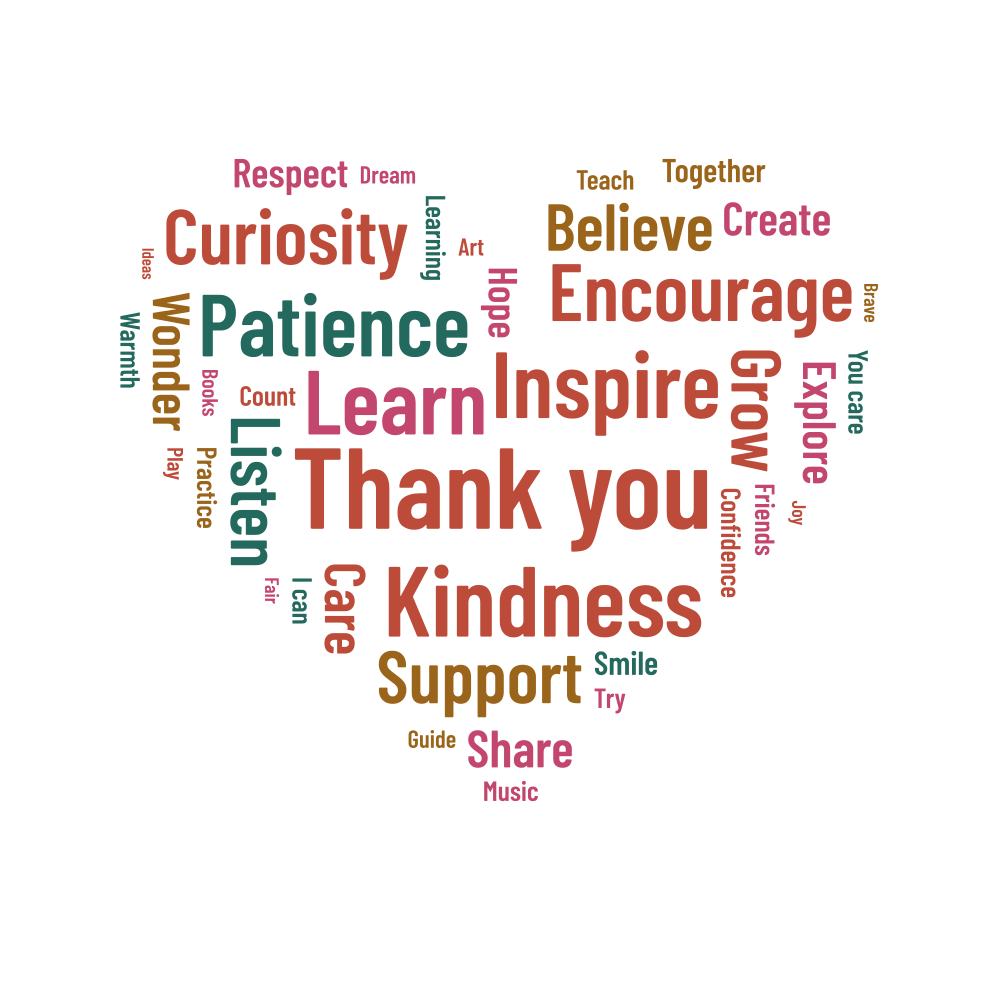
A few familiar words can make a teacher gift feel personal. Start with the heart-shaped example, then replace the suggestions with things you want to thank the teacher for: a kind word, time to ask questions or help with a difficult subject. Short memories work well as phrases.
The example gives Thank you, Kindness, Inspire and Learn the most emphasis. For a class gift, ask each contributor for a word or short expression, then check the spelling together. Keep each phrase on its own line and leave out personal details you don't want printed on the gift.
Choose what stands out
A specific phrase can say more than a long list of compliments. Time to ask, for example, might describe something the class appreciated. Give your main message a higher weight, or use equal weights for equal contributions. If several people suggest the same word, decide whether to merge those suggestions into a larger count.
| Example settings | Value |
|---|---|
| Shape | heart |
| Words in the list | 44 |
| Physical artwork size | 200 × 200 mm |
| Seed | 314159 |
The starting heart places 40 of the 44 words. Guidance, Discover, Bright and Welcome remain in the word list but do not fit in this arrangement. Open the report to see them. If one is important to your gift, try less spacing or a smaller maximum size and generate again.
Check the finishing details
- Double-check the teacher's name and any names you plan to include.
- Keep Thank you as a single phrase.
- Open the report and check any unplaced words.
- Put a class name, year or longer message in a caption if the heart feels crowded.
Print it for a card or frame
The example is 200 × 200 mm, a useful starting size for a square print. You can also center the heart on a larger sheet. Leave room for the frame or mount, and check the smallest words at the intended size. A PDF keeps the page dimensions together for printing.
Download the project JSON before making more versions. It lets you come back to the same words and positions for a correction or a second print. Try another palette for a different look, or save a separate project before changing the seed to rearrange the words.